AI image by yungeksani
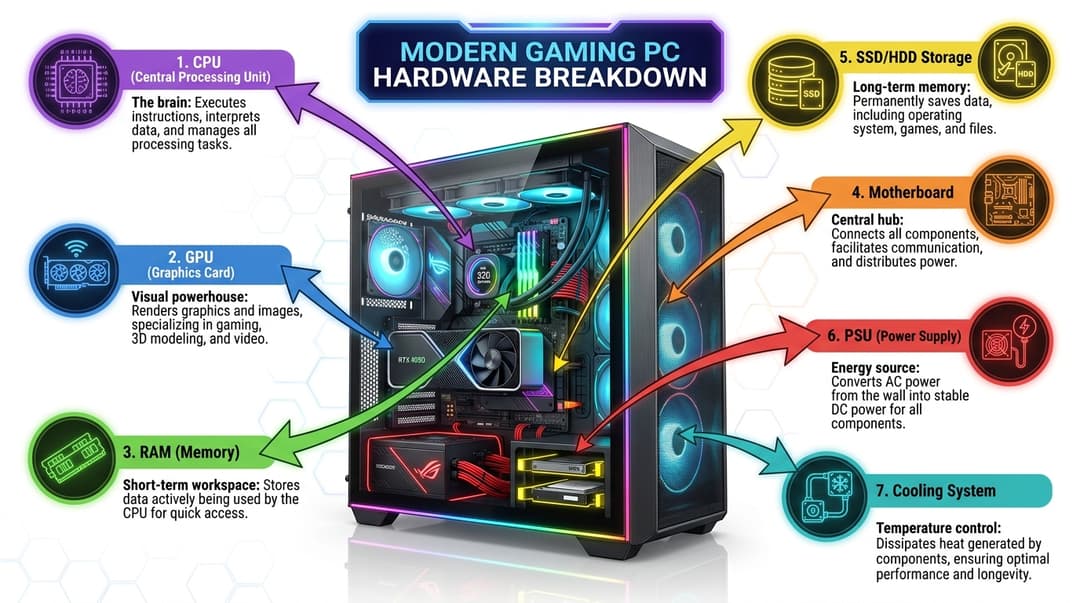
Modern gaming PC hardware components breakdown infographic with clear arrows. Central diagram shows a sleek gaming PC case with transparent side panel revealing internal components. Color-coded sections around the main diagram explain each component's function, connected with CLEAR, PRECISE ARROWS pointing to the exact corresponding components inside the PC case: 1. CPU (Central Processing Unit) - "The brain" with purple processor icon and purple arrow pointing to CPU 2. GPU (Graphics Card) - "Visual powerhouse" with blue RTX graphics card icon and blue arrow pointing to GPU 3. RAM (Memory) - "Short-term workspace" with green memory stick icon and green arrow pointing to RAM slots 4. Motherboard - "Central hub" with orange motherboard schematic and orange arrow pointing to motherboard 5. SSD/HDD Storage - "Long-term memory" with yellow storage drive icon and yellow arrow pointing to storage bays 6. PSU (Power Supply) - "Energy source" with red power supply unit and red arrow pointing to PSU 7. Cooling System - "Temperature control" with teal liquid cooling loop and teal arrow pointing to cooling system Each arrow should be color-coded to match its section, have clear arrowheads, and point DIRECTLY to the visible hardware component inside the transparent PC case. Modern tech aesthetic with clean line arrows. Professional vector style with technical accuracy. White background with subtle grid pattern. Aspect ratio 16:9 for presentation format.
Create AI Art Like This
Generate stunning images and videos with AI — on your own keys, no markup
Get Started